RFI tracking and collaboration
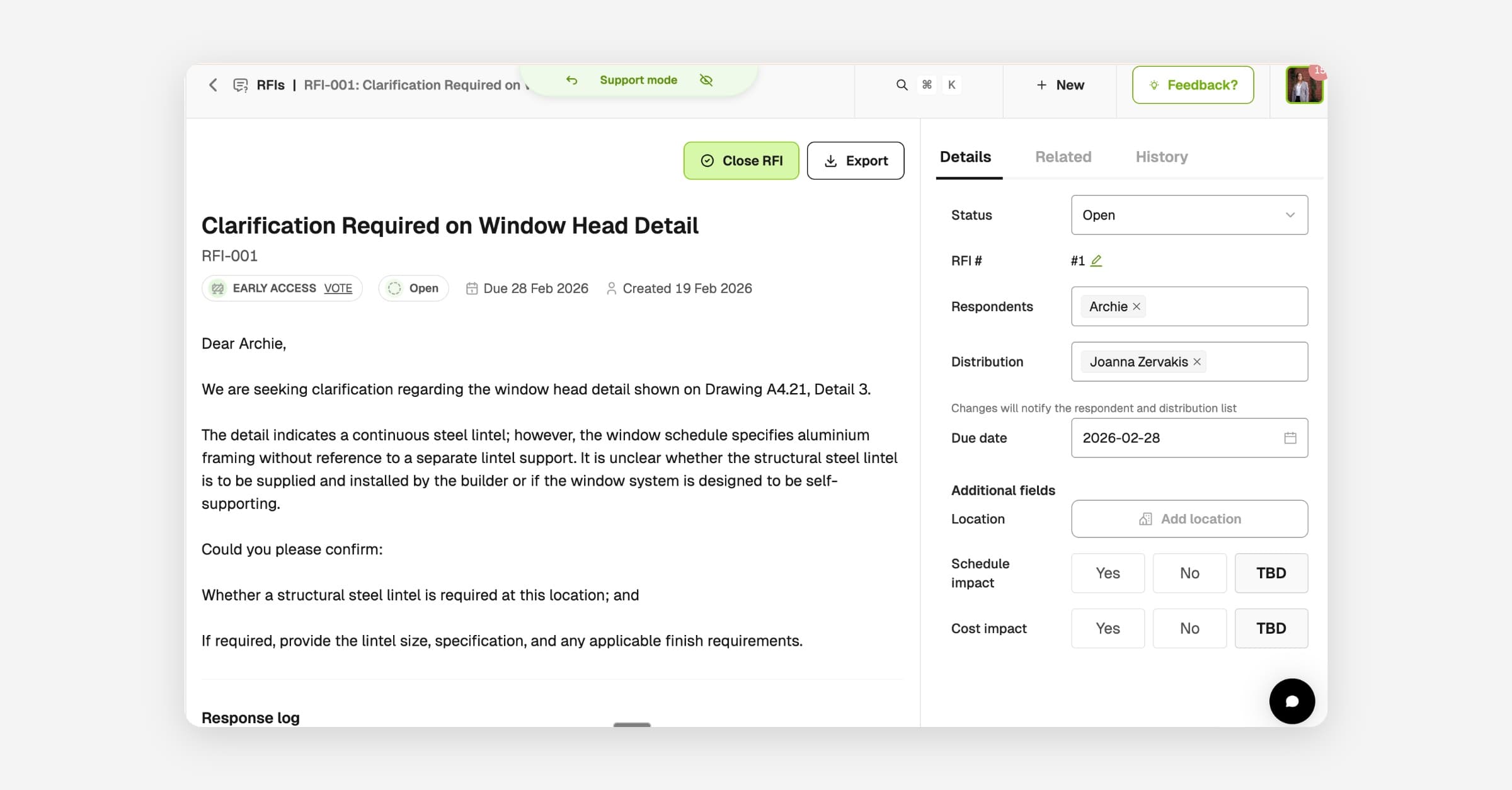
Raise, track, and close out every project query from one place with the new RFI module. Log the question in under two minutes, pick respondents, attach drawings or locations, and keep the conversation in a single thread.
- Raise an RFI in under two minutes with a subject and question
- Link to a drawing or location, assign respondents, and set a due date
- Overdue items are flagged across the dashboard and in email notifications
- Threaded conversations keep context together with ball-in-court logic showing who needs to respond next
External collaboration
Architects, engineers, consultants, and subcontractors don't need a BuildPass account. They reply directly to the email and their response lands in the RFI thread automatically. You can also generate an external submission link so trusted partners raise RFIs on your register on their own terms.
Risk and resolution
Flag cost and schedule impact on every RFI so risk is visible early. When it's resolved, close the RFI and generate follow-up actions in one flow. Export the full record as a PDF, or let AI generate a formatted document matching your templates to send to clients, subcontractors, or anyone else.
From your project sidebar, open RFIs. Access depends on your subscription - contact customer success to upgrade if you have trial access.