Workflow automation and OAuth partner integrations
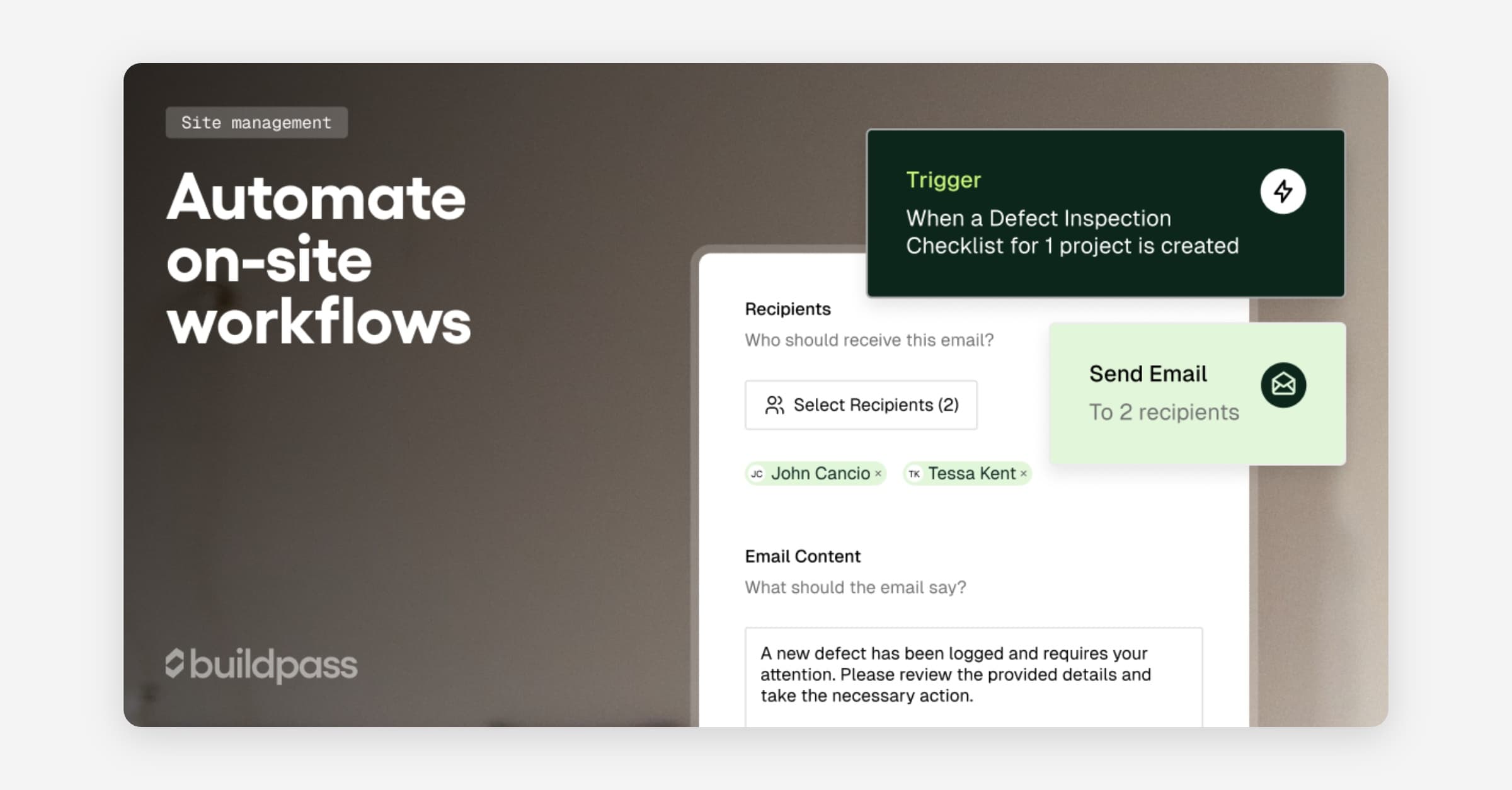
Trigger actions, notifications, and follow-ups automatically when things happen on site, so nothing slips through the cracks on a busy project. The new workflow automation system responds to real events across the platform: inductions completed, sign-ons, timesheets, form submissions, and more.
Workflow automation (early access)
Build workflows that respond to events like inductions being completed, sign-ons occurring, timesheets being submitted, or forms being signed. Send reminders, create actions, notify the right people, or pace follow-ups with built-in delays. Workflows can be duplicated, versioned, and audited so teams evolve automation over time instead of rebuilding it from scratch.
- Event-based triggers across key site and compliance actions
- Duplicate and clone workflows to reuse proven automation patterns
- Wait steps to control timing and avoid notification overload
- Content variables to personalise messages, titles, and form fields
- Conditional logic so workflows can branch based on data
- Workflow versioning with run history for auditing and rollback
- Improved runs viewer showing inputs, timelines, and outcomes
- Trigger actions and reminders directly from workflows
More triggers, actions, and templates are on the way.
From Workflows, contact customer success to join the early access group.
OAuth for partner integrations (closed beta)
Let integration partners connect to BuildPass through a standard OAuth Authorization Code flow instead of swapping API keys and Builder IDs manually.
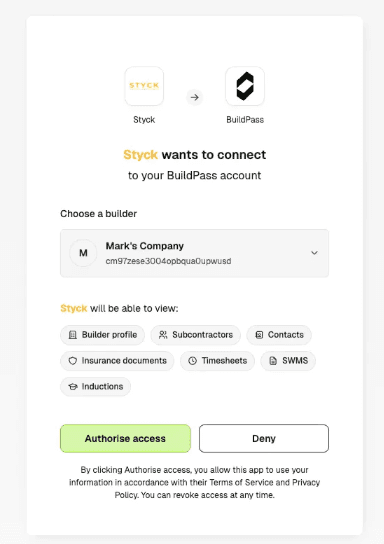
- No more manual API key and Builder ID exchange
- Standard OAuth flows for approved integration partners
Available in closed beta for approved integration partners. If you're building an integration with BuildPass, reach out via live chat to discuss access.
Fixes and improvements
- Sign ons: Improved auto sign-on and sign-off handling across mobile devices, especially in edge-case location and signal conditions.
- Drawings: Improved sorting and navigation so crews can find the right sheets faster.
- Data hygiene: Restore removed workers and merge duplicate profiles to keep records clean.
- Worker app: Fixed intermittent mobile auto sign-on/off, duplicate sign-on events, and missing sign-ons in site diaries or timesheets.
- Voice: Fixed voice transcription stalls in admin workflows.
- Timesheets: Resolved creation and visibility issues.
- Worker app: Fixed mobile errors related to offline and downloaded builds.