Custom visitor sign on templates, worker orientation fields, and drawings list view
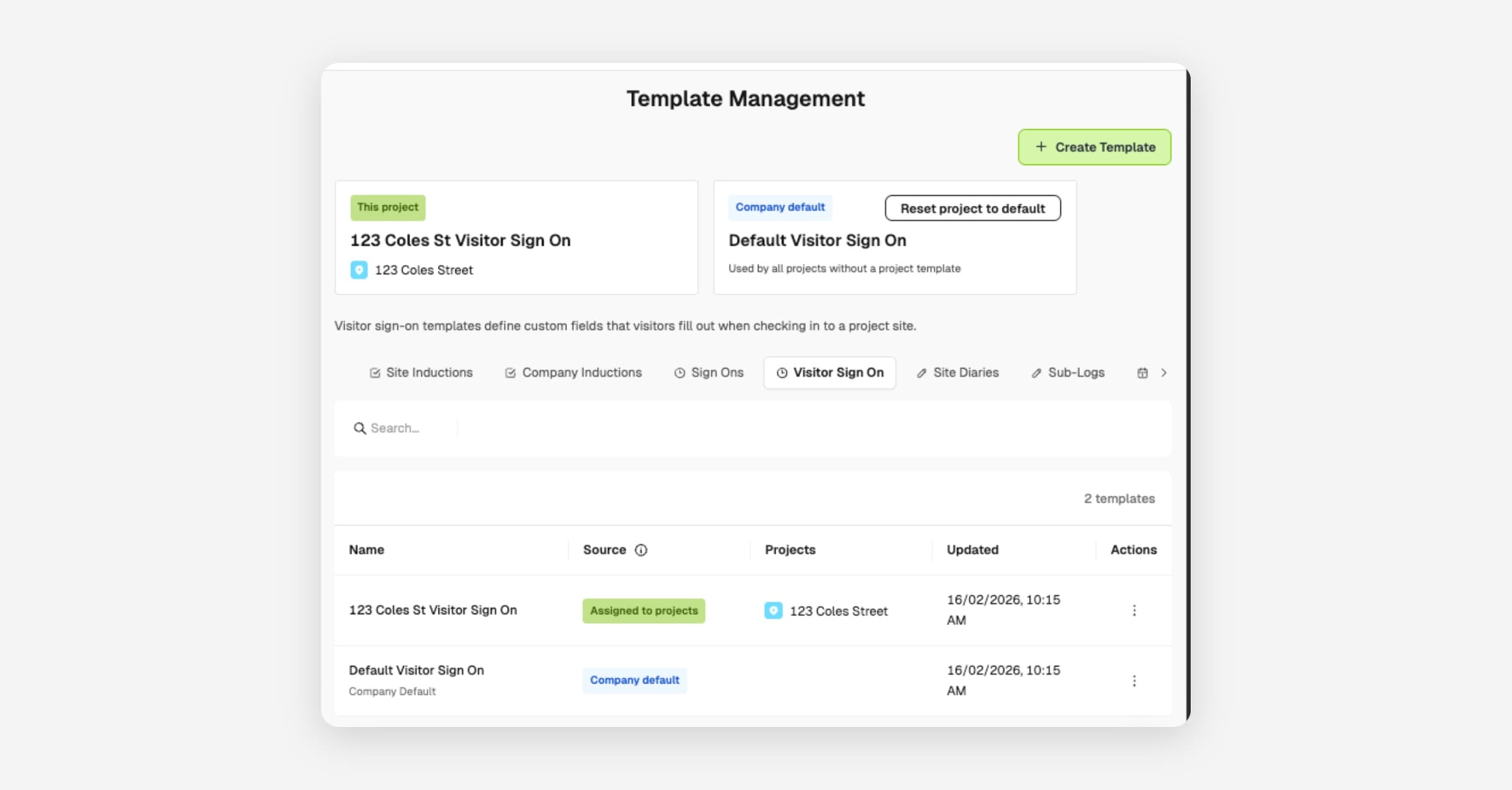
Tailor what you collect from visitors and workers so each project captures only the compliance data it needs. This release bundles custom visitor sign on templates, configurable worker orientation fields, a drawings list view, and last-completed dates on public forms.
Custom visitor sign on templates
Configure exactly what information visitors provide when signing onto a site, so you capture the compliance data each project requires.
- Builder-wide visitor template configuration
- Project-specific template overrides
- Customisable visitor data collection fields
From Sign Ons > Manage templates > Visitor Sign On.
Custom worker orientation fields
Choose which fields workers must complete during their initial profile setup so orientations match your compliance requirements.
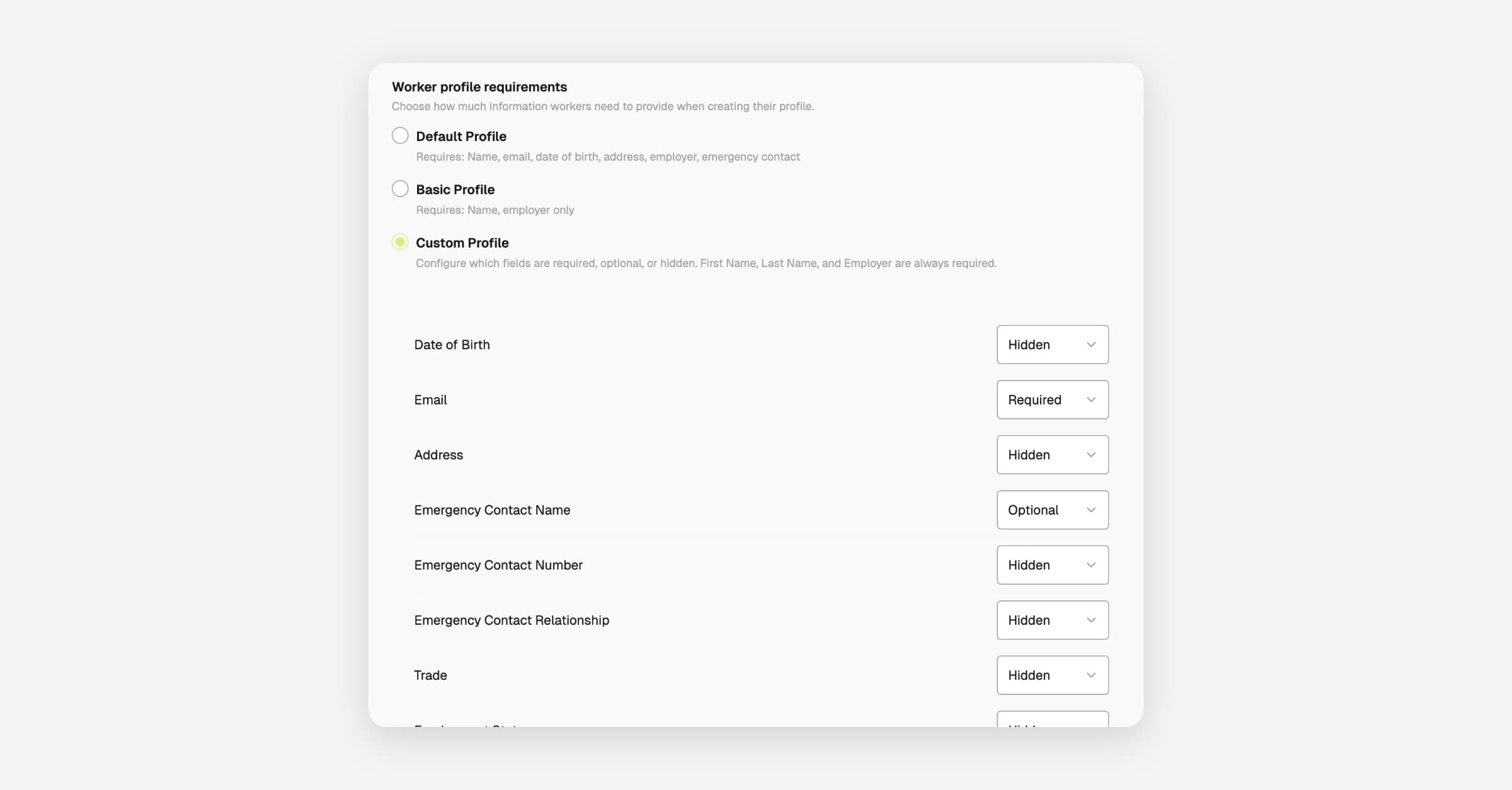
- Set default worker profile requirements across the builder
- Flexible field visibility per project
To configure, open Settings > More settings > Orientations.
Drawings list view
Find a specific sheet faster by switching large drawing sets into a sortable list with metadata columns.
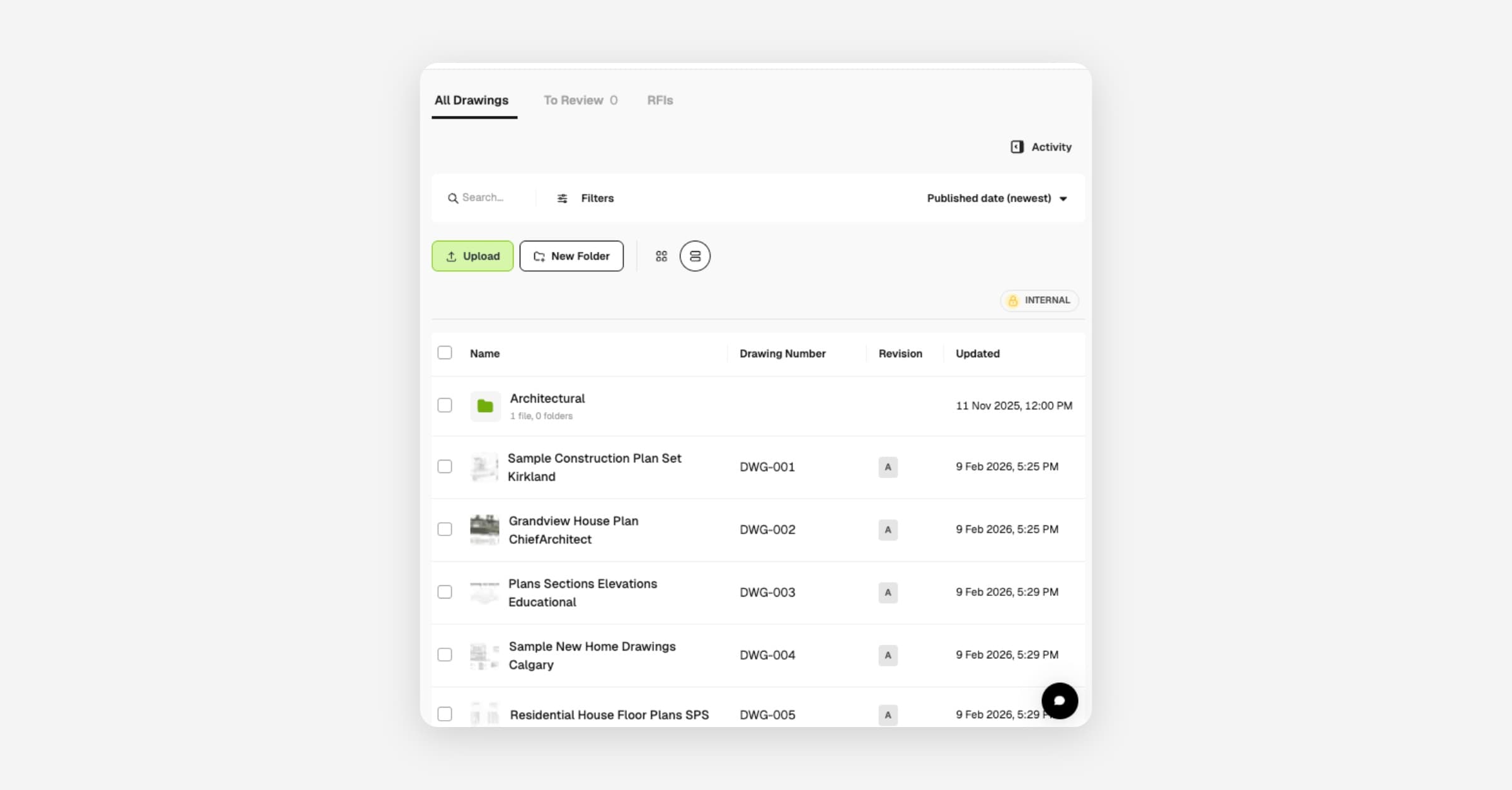
- Switch between list and gallery views
- Sort and filter drawings by metadata
- Faster navigation through large drawing sets
Try it from Drawings by toggling list view in the module header.
Last completed date on public forms
Show workers and subcontractors filling in public forms when that form or register was last completed, so they don't double up or call the office to check.
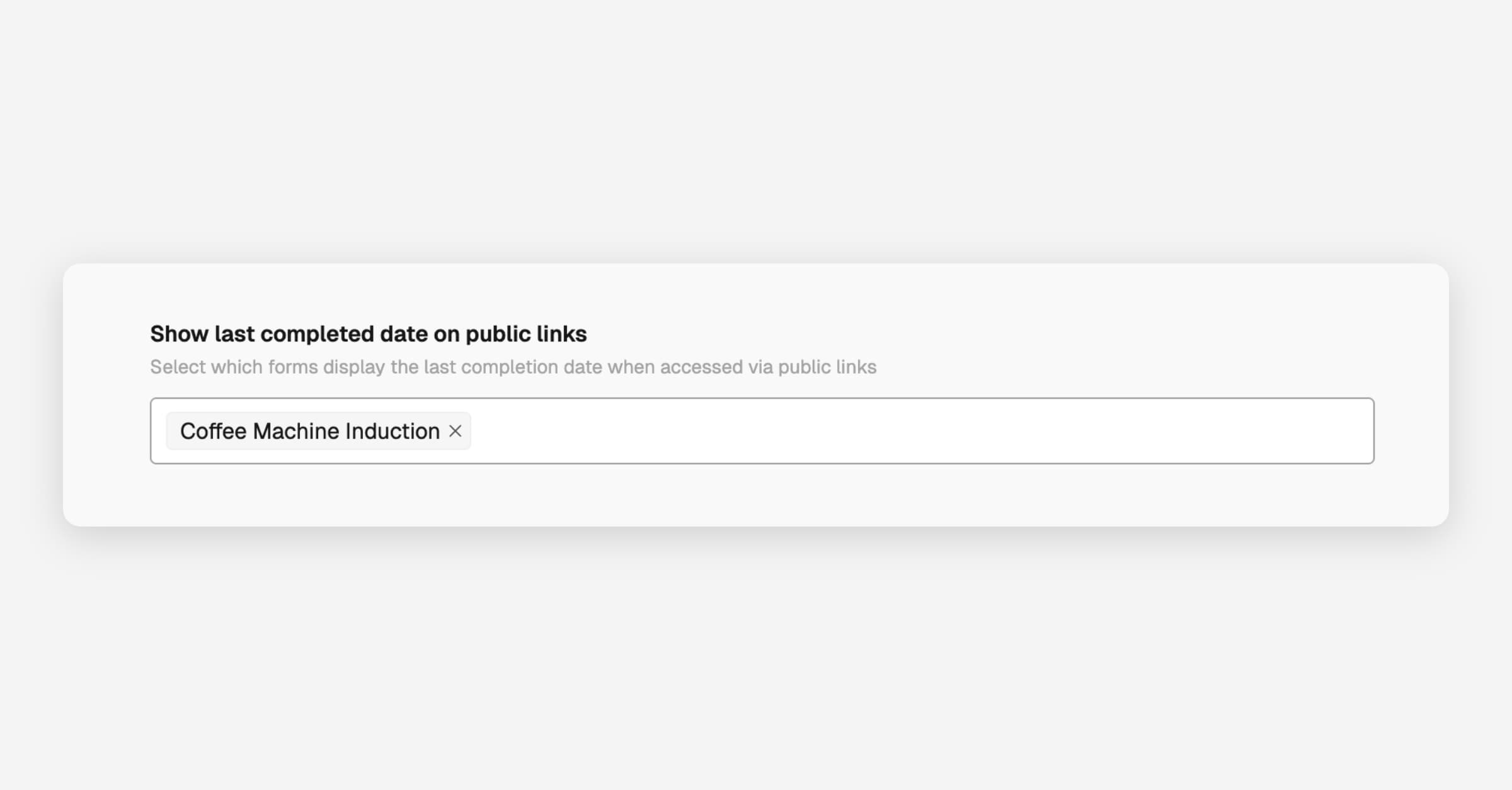
- Toggle "last completed" display on public forms
- Applies to forms and registers
- Helps communicate recent activity to field teams
From Settings > More settings > Forms, toggle the setting on.